LocalLauncher
A home screen made of words.
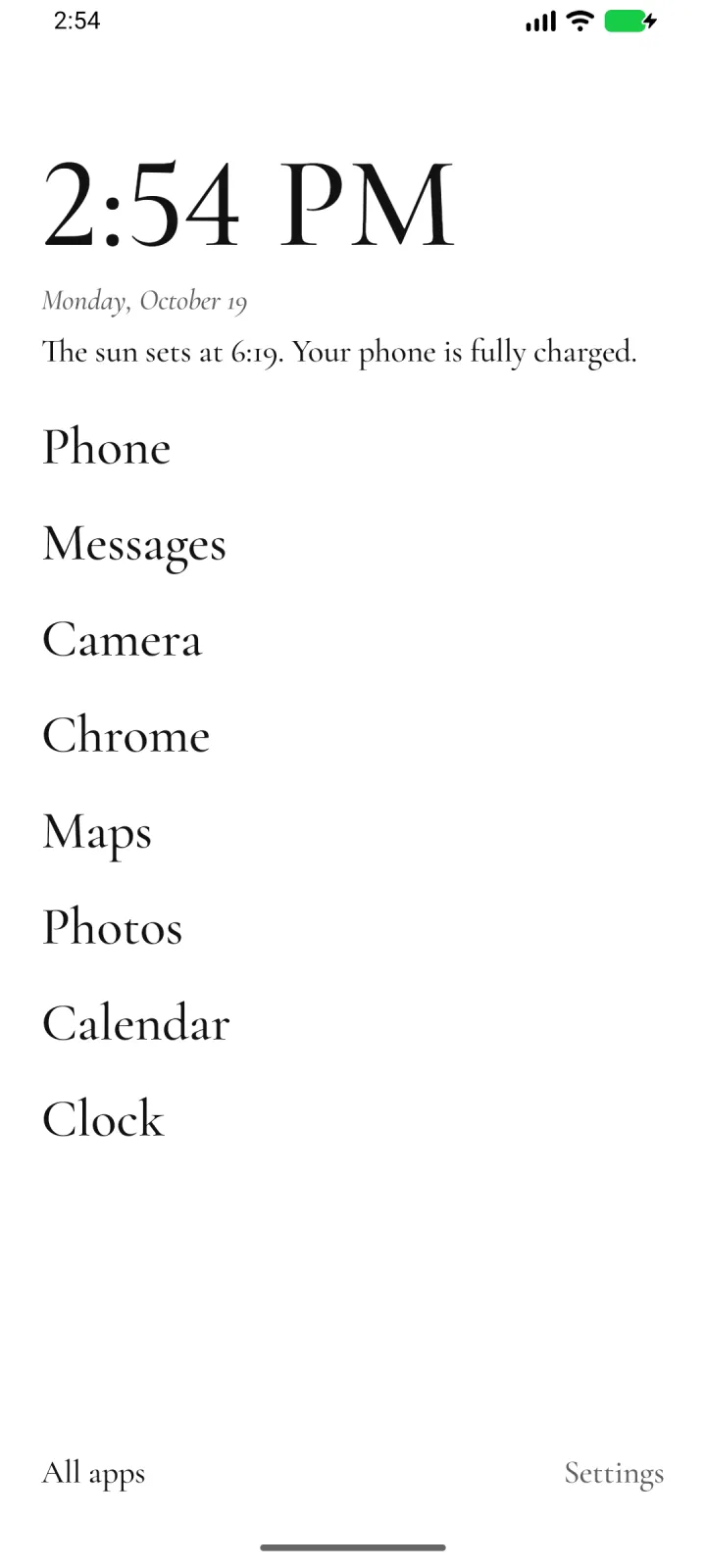
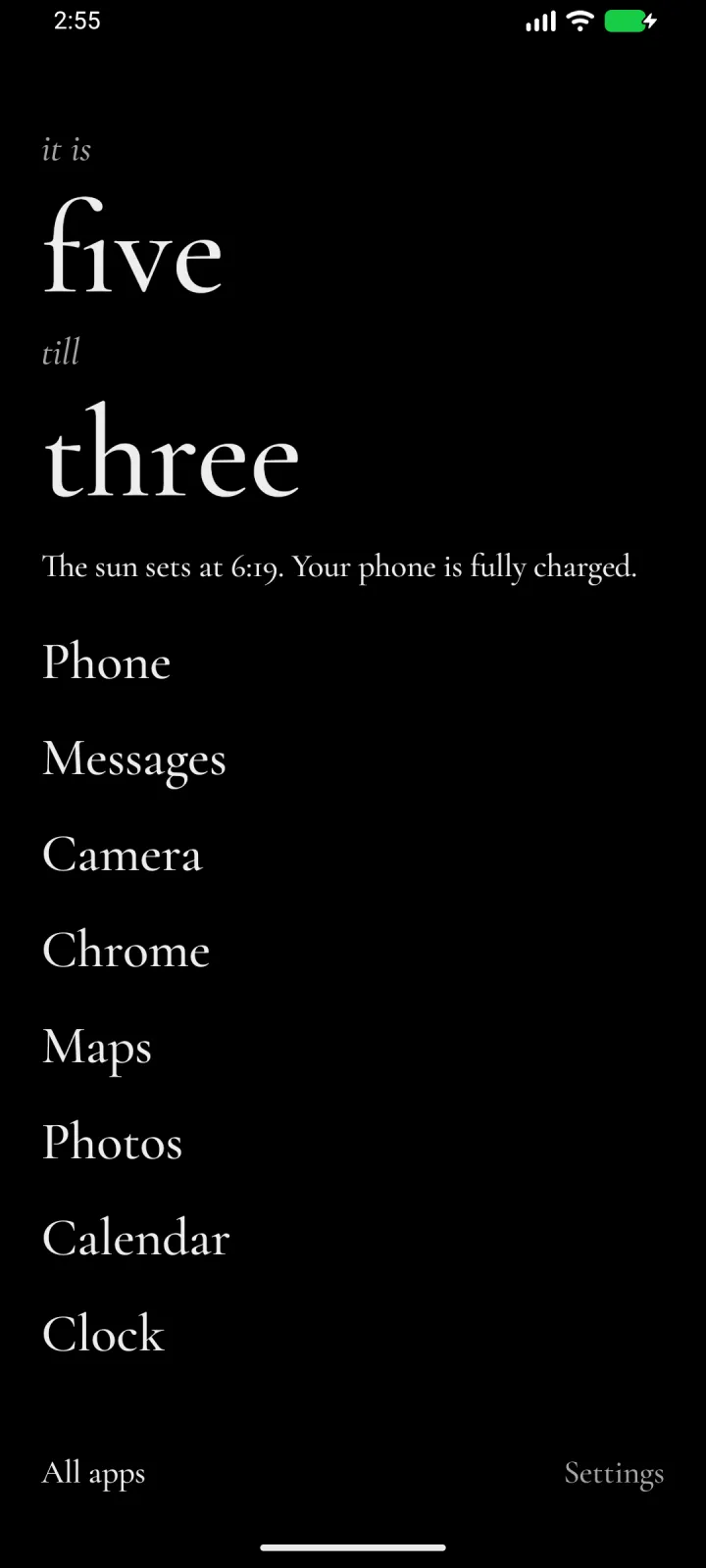
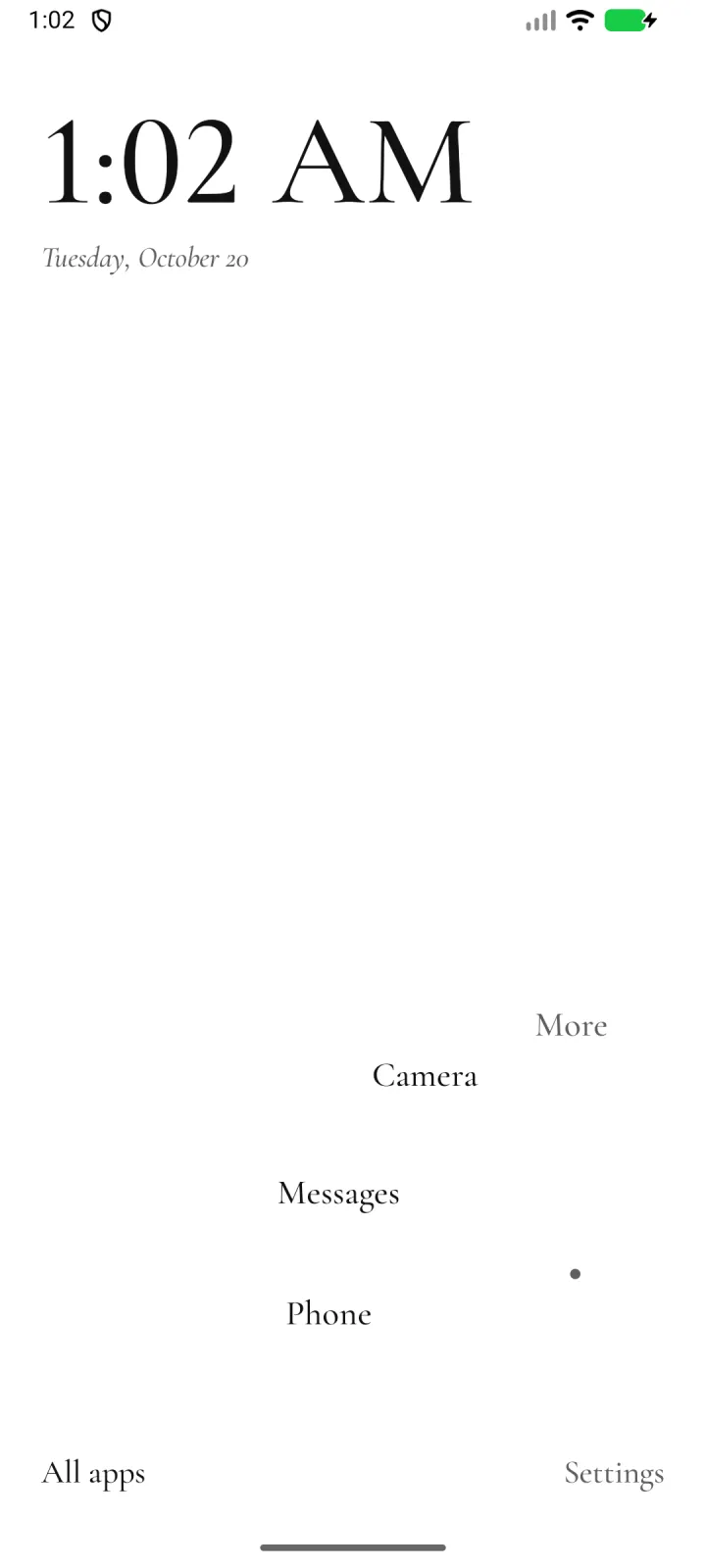
LocalLauncher is a minimal Android home screen. Your apps, app shortcuts and links sit under the clock as large text, with a short note on the day above them. There is no account, and nothing you do on the phone leaves it. It pairs with LocalType, my private keyboard.
Android 10 or later · version 0.2.4 (build 6) · 69 MB
Early access, free, no ads. English.
Updates with Obtainium
LocalLauncher doesn’t check for updates itself. Already use Obtainium? Add LocalLauncher to Obtainium to get each new release. If you don’t have it yet, get Obtainium first.
Every release is signed with the same key, so each one installs over the last and keeps your home and settings.
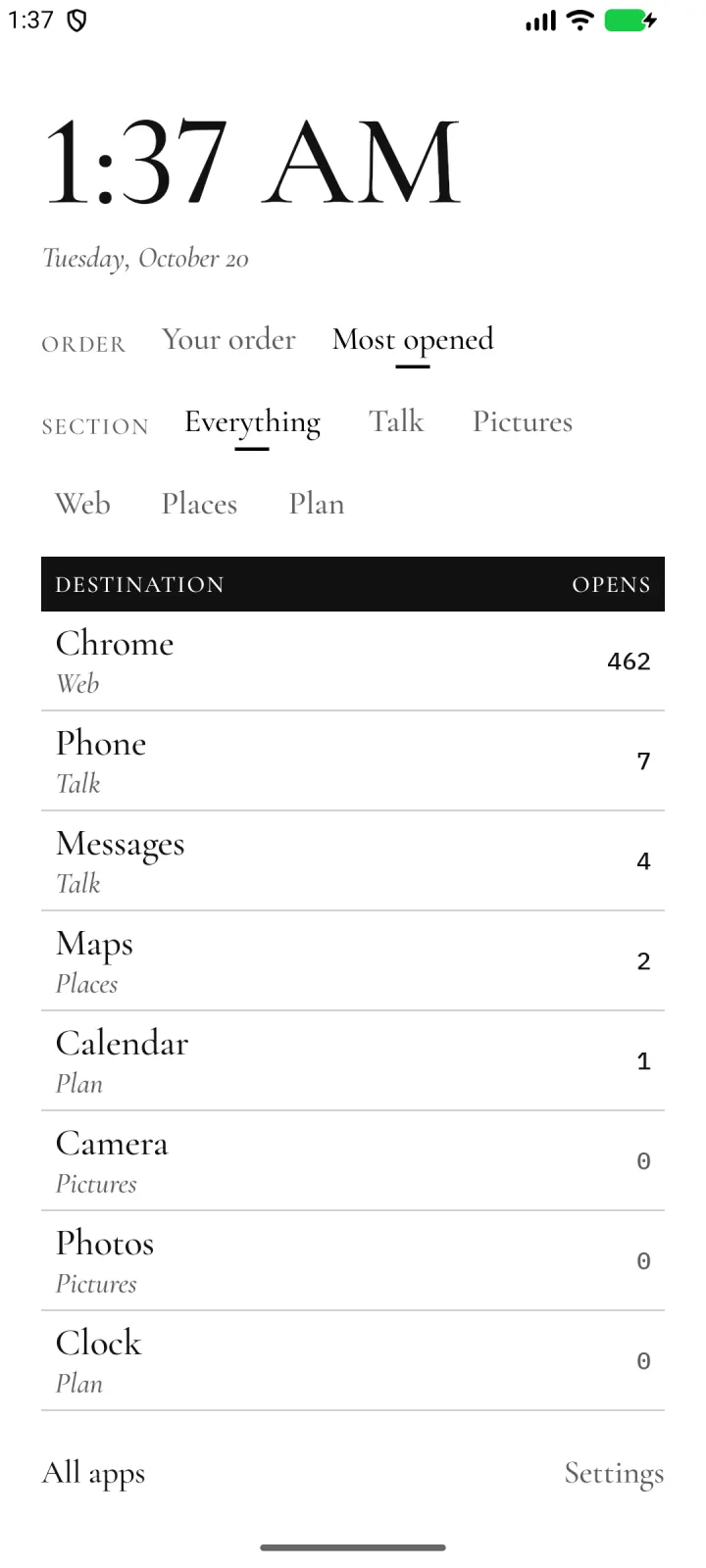
New in 0.2.4: On a phone on its side, the Arrivals board’s Order and Section choices sit under the clock, so the board has the whole right side.
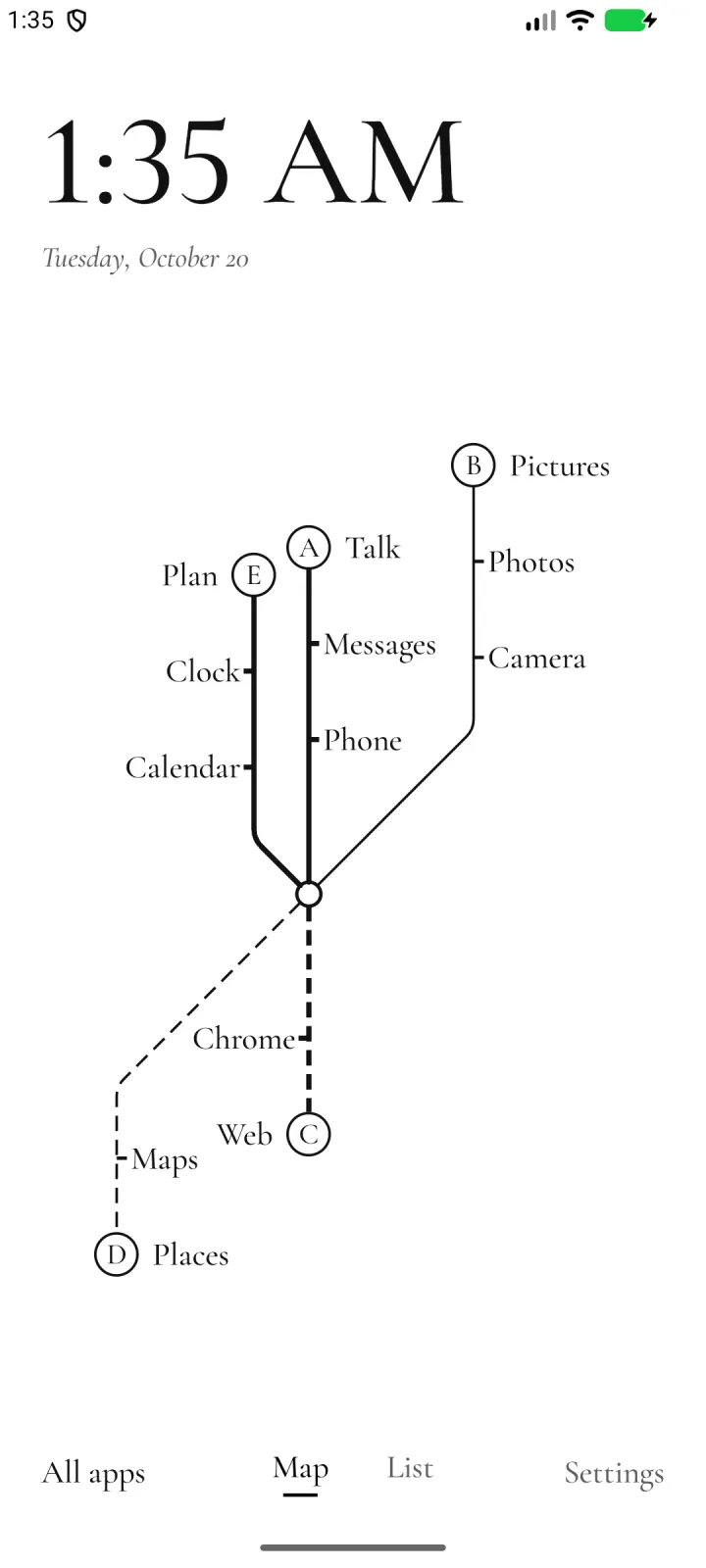
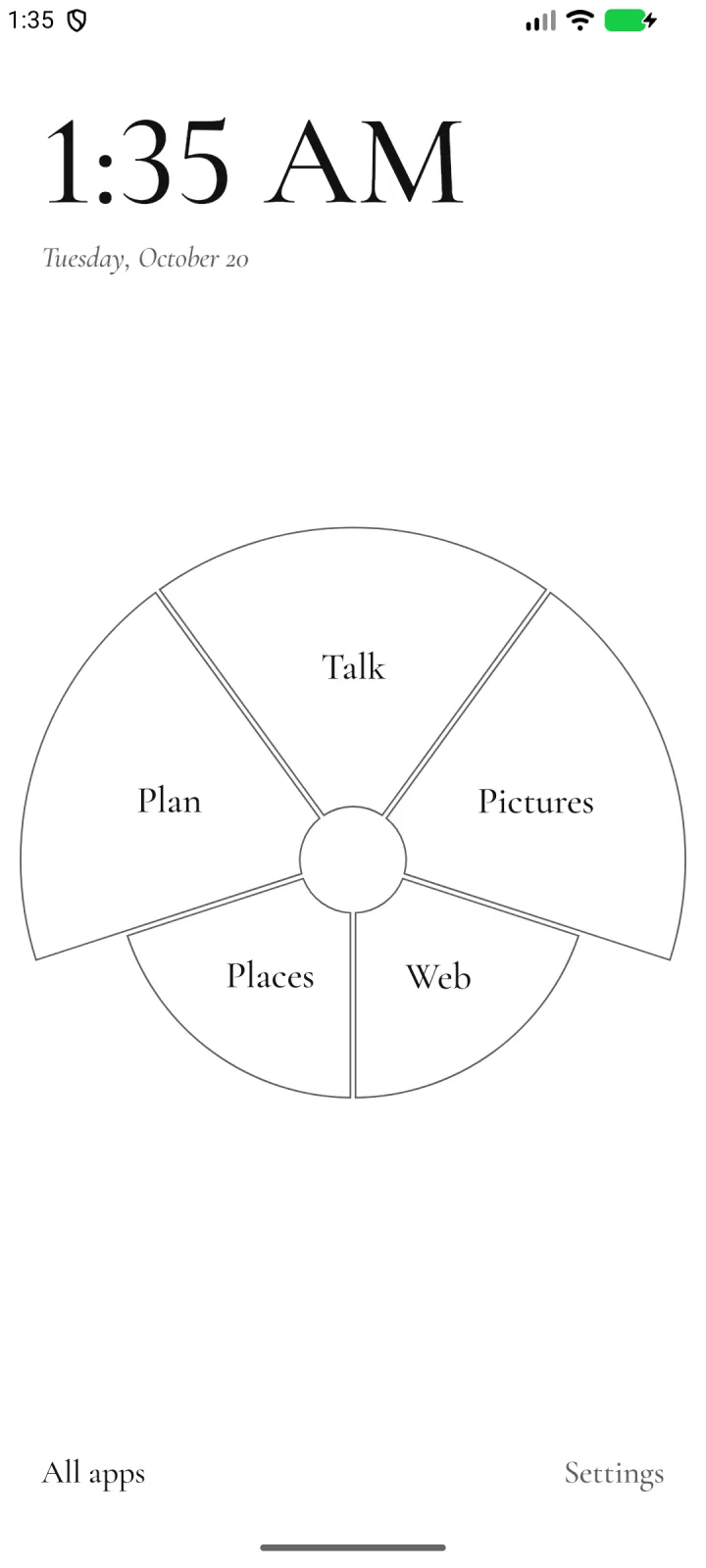
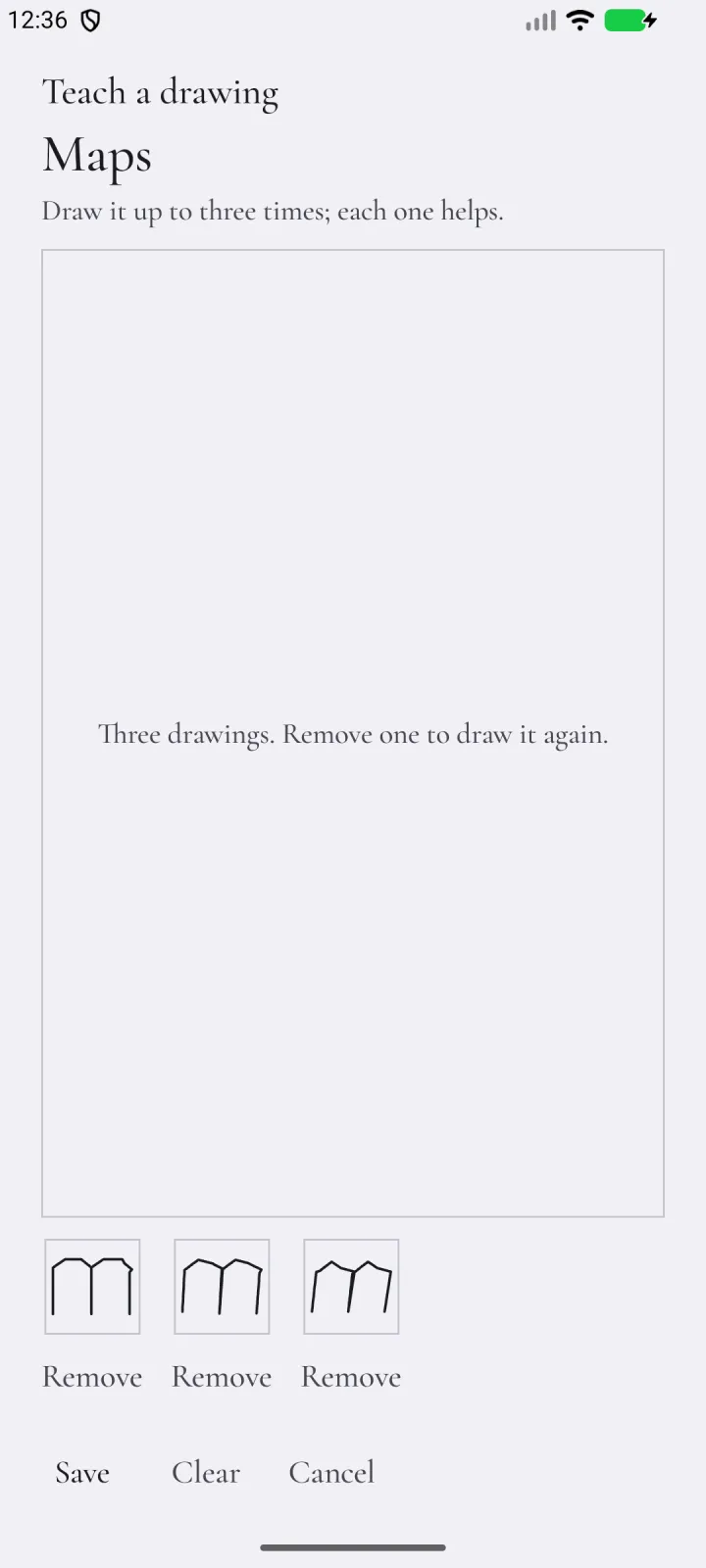
New in 0.2.3: Four new homes to try. Draw: teach a tile a drawing, then draw it to open the tile. Lines: your tiles as a transit map. Arrivals: a departures board of your tiles, showing how often you open each one when Remember my app habits is on. Rose: one petal for each group of tiles. Tiles now fall into groups by what each app is for, and you can move them or name your own. Radial now unfolds on the side your hand leaves free.
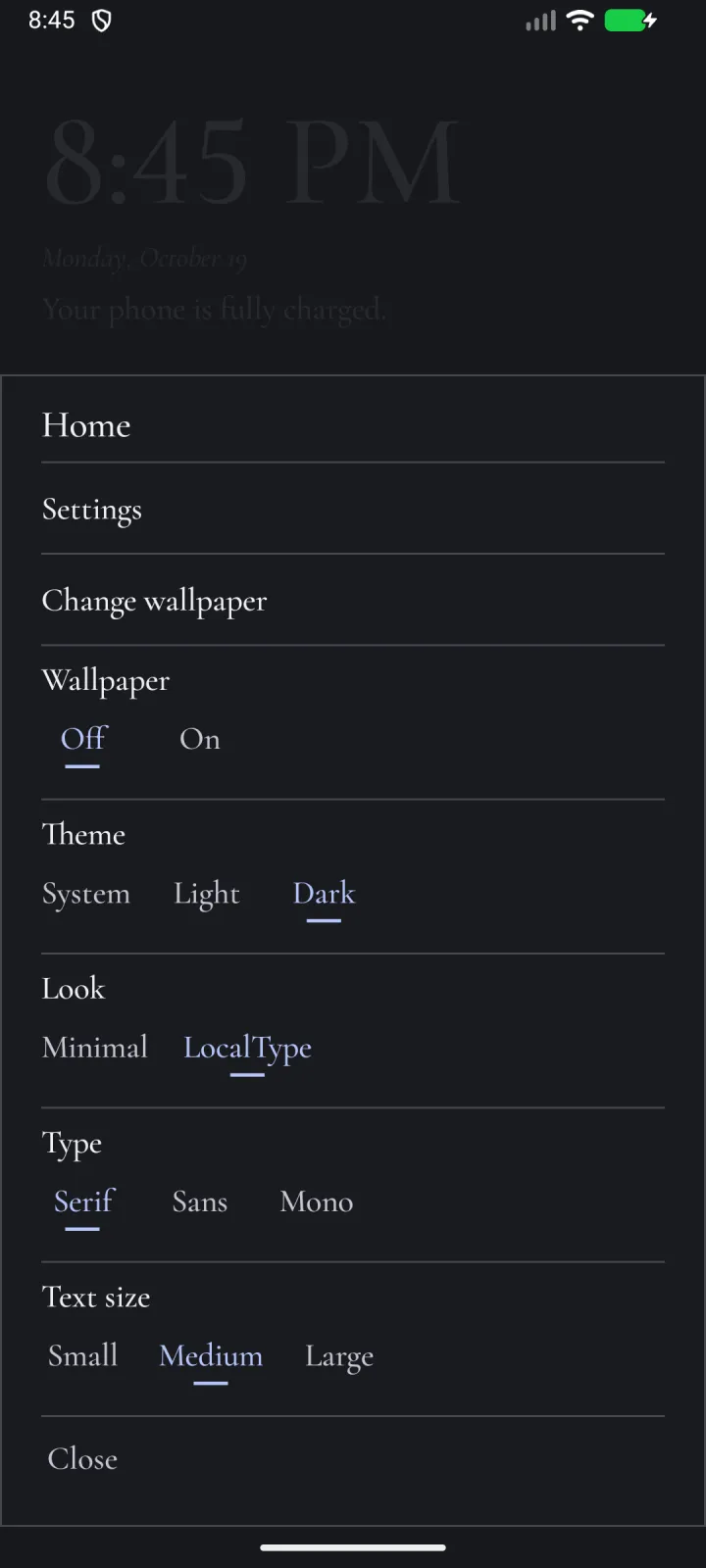
New in 0.2.2: Hold an empty spot on the home, or the clock, for a menu: Settings, Change wallpaper, and the theme, look, type and text size. Warm closing lines are now “warm and encouraging”, which Gemma writes more reliably.
New in 0.2.1: LocalLauncher’s own Gemma now answers; in 0.2.0 it loaded but couldn’t reach the phone’s GPU. All apps learns your usual pick when Remember my app habits is on: type a letter, press Enter, and your usual app opens.
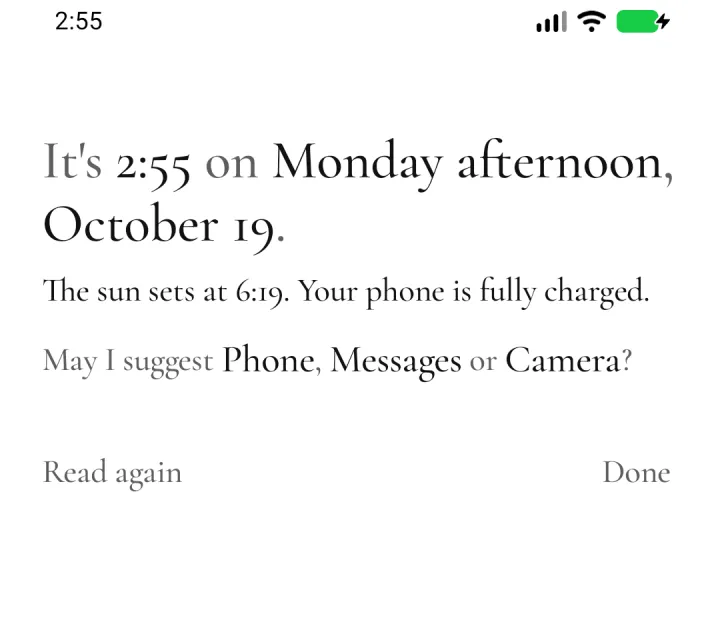
New in 0.2.0: “May I suggest” moved into the briefing, which now opens with a swipe right, and its three apps learn from your own launches: the time of day, the app you just left and the ones you use most lately. Today can end with a closing line from Gemma, an on-device model: LocalType’s copy when LocalType shares it, or LocalLauncher’s own, an optional 2.4 GB download. Sunrise and sunset take a US ZIP code too.
Install
- Open the downloaded APK. Allow your browser to install apps if Android asks.
- Press Home, and choose LocalLauncher when Android asks which home app to use. If it doesn’t ask, open Settings in LocalLauncher and tap Set as home app.
- To go back to your old home screen, pick it under Default apps, then Home app, in Android’s settings.
Nothing leaves the phone
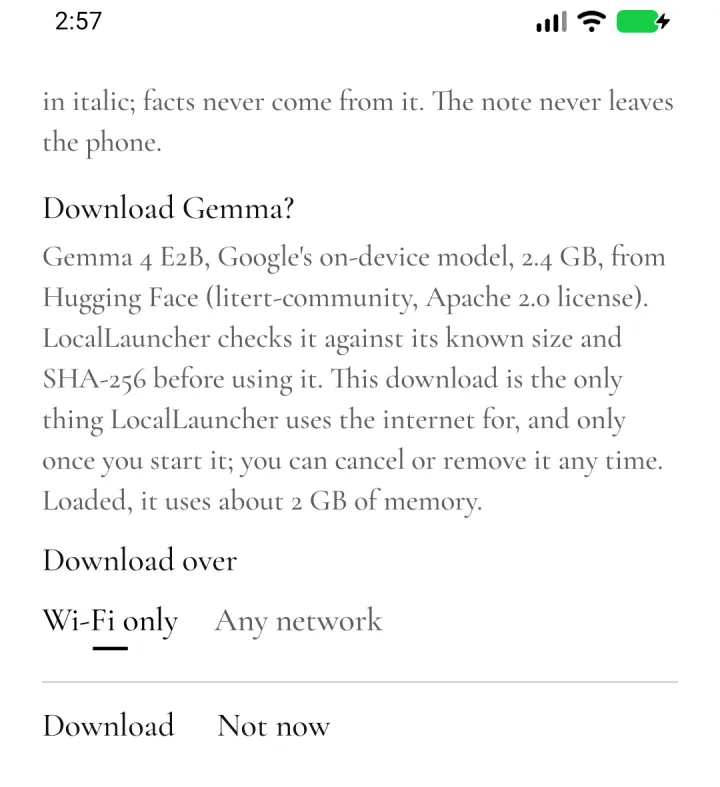
There’s no account, and nothing you do on the phone is sent anywhere. LocalLauncher uses the internet for one thing only: the optional Gemma download, which it describes first and starts only when you do, over Wi-Fi unless you choose otherwise. Links you add open in your browser.
- It sees only the apps you can open, not everything installed.
- Most used needs usage access, which only you can turn on, in Android’s settings. It reads how long each app was on screen over the last four weeks, pins the top eight and keeps nothing else.
- Today’s calendar line asks for calendar access only when you turn it on.
- Sunrise and sunset are for a place you type, a US ZIP code or a latitude and longitude, worked out on the phone. It never asks for your location.
- Today’s closing line goes only to Gemma on the phone, LocalType’s or LocalLauncher’s own, and LocalLauncher checks LocalType’s signing key before it sends anything.
- Drawings you teach the Draw home stay on the phone, out of backups.
- “Remember my app habits” is off unless you turn it on; what it learns stays on the phone, out of backups, and Forget clears it.
- Your layout stays on the phone and out of cloud backup. Export it, or keep a safety copy in a folder you choose.
Quiet until you need it
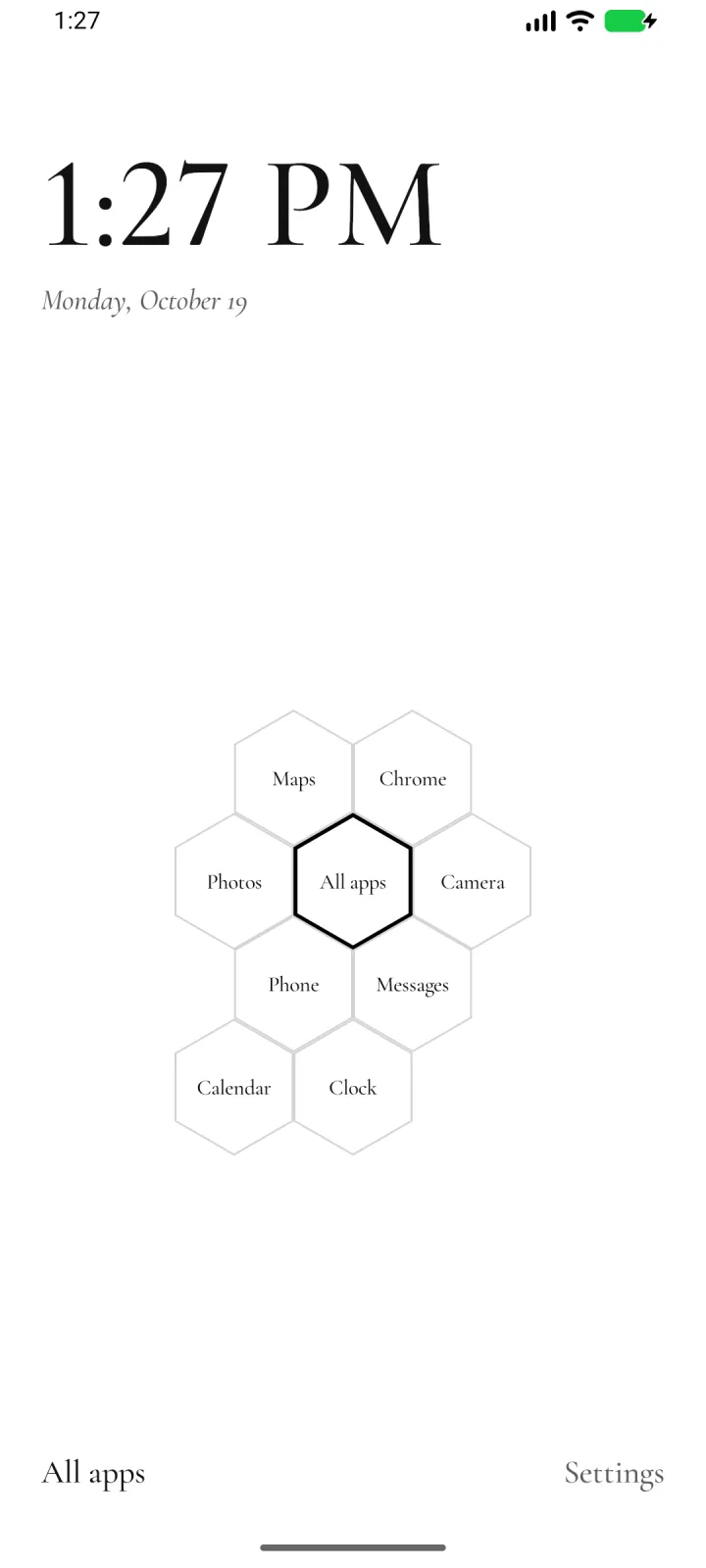
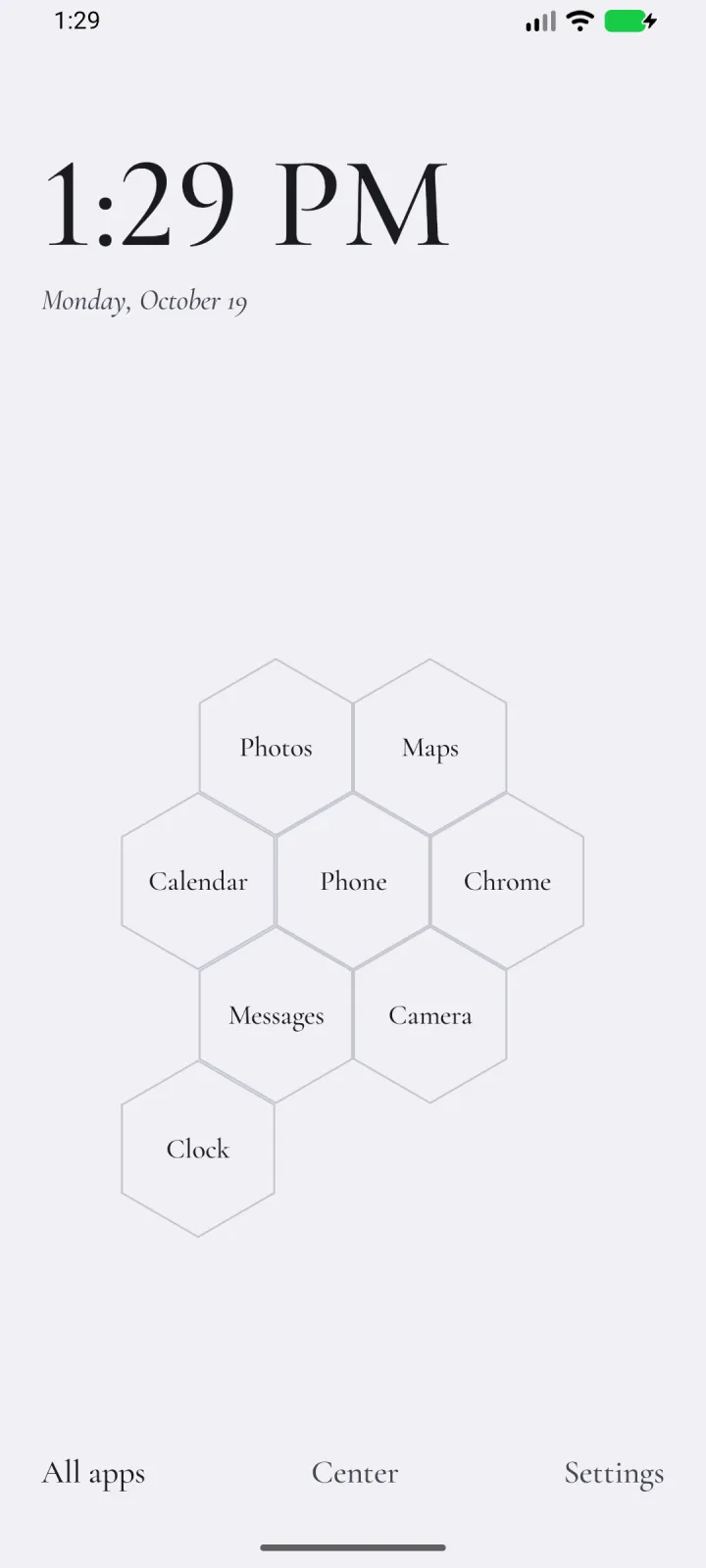
- Eight homes. List, the default, shows your tiles as large text. Hex, Plane, Radial, Draw, Lines, Arrivals and Rose are experimental. With TalkBack or large text on, Home shows the List.
- Groups that sort themselves. Lines, Arrivals and Rose group your tiles by what each app is for: Talk, Web, Pictures, Media, Places, Plan and Play. Hold a tile to move it to another group, or name a new one.
- Apps, shortcuts and links. A tile opens an app from any profile, an app shortcut such as “New message”, or a web address. Share a link to Add to LocalLauncher to pin it.
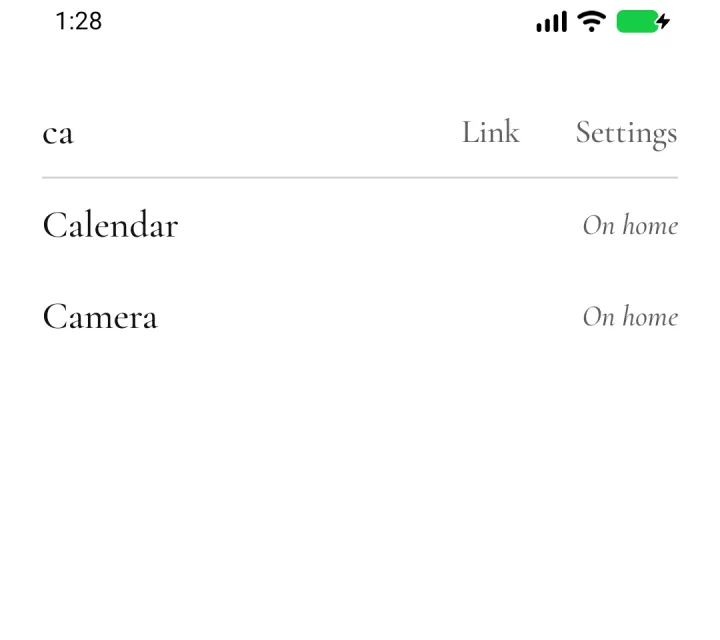
- All apps is a list you search by typing. Initials work too: “gm” finds Google Maps, and Enter opens the first match.
- Today. The sun and moon, your next alarm, your calendar if you allow it, and the battery, under the clock. The briefing adds three apps that fit the moment, learned from your own launches. There’s no weather, which would need the internet.
- A closing line, if you want one. Pick a tone and Gemma, an on-device model, adds one short line, checked against the note before it shows. It uses LocalType’s copy when LocalType shares it; otherwise LocalLauncher can download its own (2.4 GB), which loads only when you open the briefing.
- Swipes you choose. Up opens All apps, down pulls the notifications down, and right opens the briefing. Each direction can open All apps, the notifications, the briefing, an app you pick, or nothing.
- A hold away. Hold an empty spot on the home, or the clock, for Settings, Change wallpaper and the theme. With TalkBack, the clock’s hold is named “home menu”.
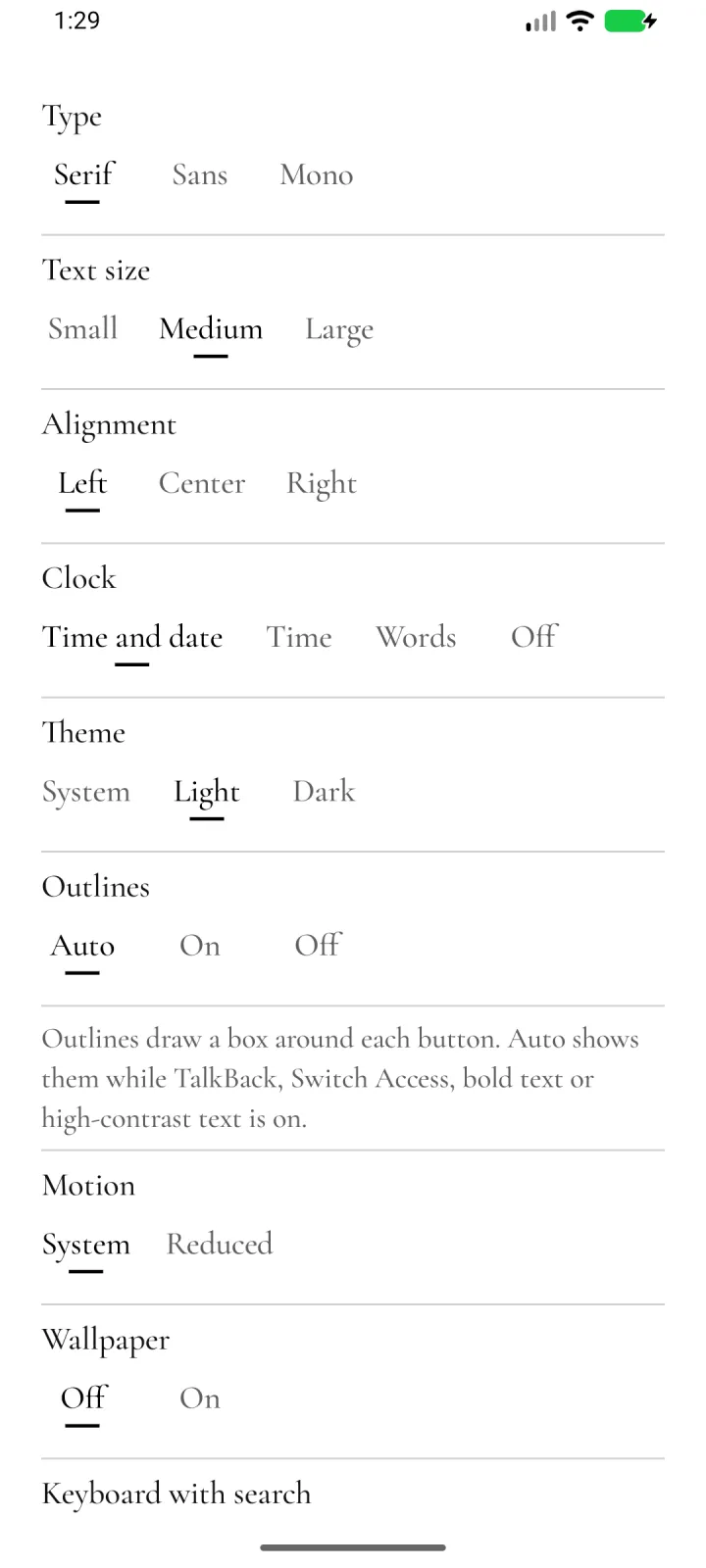
- Your type. Serif (Cormorant Garamond), the phone’s own sans serif, or Mono (IBM Plex Mono), with text size, alignment, light and dark, and LocalType’s colors.
- Accessible by default. Buttons are words. Their outlines show on their own while TalkBack, Switch Access, bold text or high-contrast text is on, and long names wrap instead of being cut off.
- Your home stays yours. A layout it can’t fully read never empties your home. It keeps a last good copy, and Undo brings back a replaced layout.
No icons, widgets, badges or feeds. Every home but List is experimental, and the clock in words is English only. A closing line from LocalType’s Gemma needs a LocalType release that shares it, and shows only while LocalType has Gemma loaded.
Release files
APK checksums. Android package dev.localtype.launcher, signed with certificate SHA-256 25:E4:0D:F3:8F:60:09:30:7D:5D:E0:14:88:7E:43:2F:7F:56:FD:B5:DF:F8:3E:A1:57:32:43:6B:F5:0A:78:4E. Cormorant Garamond and IBM Plex Mono are under the SIL Open Font License; Gemma 4 E2B is under the Apache 2.0 license; ZIP code centers are from the US Census Bureau’s 2024 Gazetteer, which is public domain. By Luke Steuber.